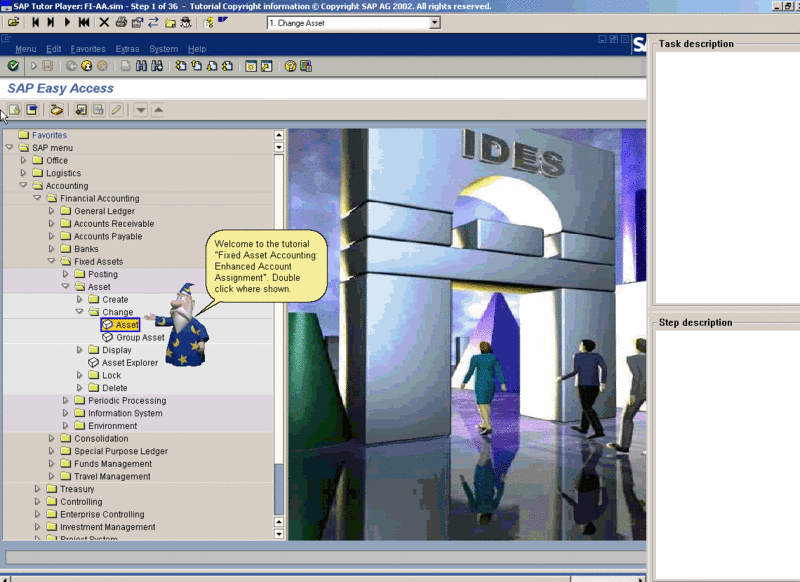
SIMs Can Only Be Viewed Using SAP iTutor Software!
http://rapidshare.com/files/1634891/iTutor2.00.exe
Human Resources (HR) SIM Files
Balanced Scorecard
Benefits: Domestic Partner Handling As Of R/3 Enterprise
Benefits: Enrollment Employee Self-Service In SAP EP 5.0
Change Employee Form Of Address
Employee Turnover Management
Form Of Address
Human Resources Executive
Objective Setting And Appraisals
Organization Structure
Time Management: Management Of Family And Medical Leave
Time Management: Message Processing In The Time Managers Workplace
Time Management: Time Managers Workplace
Web Cockpit Department Manager
Web Cockpit Human Resource Analyst (With Navigation)
Web Cockpit With Selection
http://rapidshare.com/files/48975188/HR-1.zip
http://rapidshare.com/files/48975191/HR-2.zip
http://rapidshare.com/files/48976494/HR-TimeManagement-ManagementOfFamilyAndMedicalLeave.zip http://rapidshare.com/files/48976503/HR-Benefits-EnrollmentEmployeeSelfServiceInSAPEP5.0.zip http://rapidshare.com/files/48976504/HR-TimeManagement-TimeManagersWorkplace.zip
http://rapidshare.com/files/48976537/HR-TimeManagement-MessageProcessingInTheTimeManagersWorkplace.zip http://rapidshare.com/files/48976614/HR-OrganizationStructure.zip
Friday, September 7, 2007
SAP Simulator Files for HR (Human Resource)

SAP Simulator Files for Accounting
Actual Posting in Overhead Cost Center
Appropriation Requests
Asset Management
Asset Management Periodic Processing
Cash Collection With SAP Collections Management
Cash Journal
Cash Management
Consolidation Data Monitor
Cost Center Planning
Incoming Payment
Period End Closing In Overhead Center
Planning A Overhead Cost Center
Profit Center Reporting
Tenant Account: Open Item Processing
Transfer Profit Center Accounting Balance Sheet
Travel Expenses
SIMulator Viewer
http://rapidshare.com/files/1634891/iTutor2.00.exe
http://rapidshare.com/files/52699906/Accounting-TenantAccount-OpenItemProcessing.zip
http://rapidshare.com/files/52699769/Accounting-TravelExpenses.zip
http://rapidshare.com/files/52702706/Accounting-CostCenterPlanning.zip
http://rapidshare.com/files/52702261/Accounting-PlanningOverheadCostCenter.zip
http://rapidshare.com/files/52701576/Accounting-CashJournal.zip
http://rapidshare.com/files/52701562/Accounting-CashManagement.zip
http://rapidshare.com/files/52701559/Accounting-IncomingPayment.zip
http://rapidshare.com/files/52699906/Accounting-TenantAccount-OpenItemProcessing.zip
http://rapidshare.com/files/52699769/Accounting-TravelExpenses.zip
http://rapidshare.com/files/52699802/accounting_2.zip
http://rapidshare.com/files/52699782/accounting_3.zip
http://rapidshare.com/files/52697691/accounting_1.zip
http://rapidshare.com/files/52697055/AccountManagementAndActivityManagement.sim
Restart Your PC without Restart ;)
this works both with windows vista and xp.
so hers the trick..
Select Start, then hover over the right arrow that is to the right of
the padlock icon until the pop-up menu appears that contains “restart”
as one of it’s choices. Hold down the SHIFT key while clicking on the
“restart” choice.
Windows xp : Select Start. Select “Shut Down…”. Change the drop-down combo box under “What do you want the computer to do?” to “Restart”. Hold down the SHIFT key while clicking on the “OK” button.
Sunday, September 2, 2007
Windows XP in your native language
You can convert your existing Windows XP in your native language, without any new installation or any other tool, and give surprise to your friends. Actually the basic idea behind this tutorial and the technique used lies on the existence of Unicode.
| What is Unicode? It is the unification of dozens of character sets such Latin, Greek, Arabic, etc; The Unicode contains most of the languages all over the world including Hindi, Gujarati, Marathi, Bengali, Tamil, Telugu, Urdu, etc. For this purpose it requires 2 bytes (2*8 bits). There are no negative characters. More information about Unicode can be found at www.unicode.org.
This Unicode is not supported by Windows 95 & 98, Windows 2000 partially handle it. But WindowsXP completely supports Unicode.
The following tools you will require. (I know you have all these on your system)
The following things you won’t require.
That was background now coming to main point how to make Window XP in your native language. For simplicity and better understanding I have divided the entire process into three steps. Let’s explore them as well as Unicode Magic.
Before you go for any of the following mentioned process you need to do some modification to your system which are as follows.
| ||||||
| [The First Process] If there is discussion of Windows operating system, Registry matters.
[ Note : For accessibility you can add the required language from |
BitTorrent Continues to Dominate Internet Traffic
A recent analysis of the latest P2P trends wordwide shows that BitTorrent is still
the most popular filesharing protocol. BitTorrent traffic is still on the rise and responsible for 50-75% of all P2P traffic and roughly 40% of all Internet traffic.
 P2P traffic stats always cause quite a bit of controversy. In 2004 several respectable sources were reporting that BitTorrent was responsible for 35% of all internet traffic. This was probably a huge overestimation at the time, today this figure sounds more realistic.
Ipoque reports in a preview of their 2007 P2P survey that BitTorrent is generating between 50-75% of all P2P traffic. P2P traffic is responsible for 50%-90% of all Internet traffic which means that BitTorrent traffic is generating somewhere between 25% and 65% of all Internet traffic.
However, there is quite a bit of regional variance in the use of P2P applications according to Ipoque: “eDonkey exhibits a regionally varying popularity with shares between 5-50% of all P2P. In certain regions, other protocols have gained a significant importance. In the Baltic States, for instance, DirectConnect has a proportion of about 30% of all P2P traffic”
Ipoque reports that all P2P traffic is still growing. Joost is not yet posing a threat to ISPs, but media streaming services and VoIP applications show significant growth. For example, Ipoque reports that Skype generates up to 2% of the overall traffic in certain networks.
It is probably good to know that this Internet traffic research is often conducted by companies that offer broadband management and optimization solutions. It is in their best interest to overestimate these figures because they design the traffic shaping applications that help ISPs to manage their precious bandwidth.
The 2007 P2P survey will be presented at Technology Review’s Emerging Technologies Conference at MIT, more details later.
Sensor Based Intelligent Robots
This book constitutes the thoroughly refereed post-proceedings of the International Workshop on Sensor Based Intelligent Robots held in Dagstuhl Castle, Germany, in October 2000.
The 20 revised full papers were carefully reviewed and improved for inclusion in this book. Addressing a broad variety of aspects of the highly interdisciplinary field of robotics, the book presents three topical sections on sensing, robotics, and intelligence.
http://rapidshare.com/files/50523706/sbir.rar
Fundamentals of Robotics: Linking Perception to Action
The book will cover practical knowledge in understanding, developing, and using robots as versatile equipment to automate a variety of industrial processes or tasks. But, the book will also discuss the possibilities we can look forward to when we are capable of creating a vision-guided, learning machine.
http://rapidshare.com/files/52011758/xie.rar
Serach Live webcams using Google
When you sometime feel bored....then go search on google for some LIVE cams... It is a good time pass to explore them.
For example if you type into google exactly this : inurl:"axis-cgi/mjpg"
Then you would get many search results. Then you are ablt to veiw shopping center webcams and also office cams or even science lab cams.
You should be refreshing the site inorder to get new images...
Go give that a try and have a good time pass...
Bypass the disabled right click
While browsing over the internet I have came across many sites disabling the right click feature on the website. The right click will be genrally disabled to eradicate the copying of the content and for many other reasons.
The trick is that you can bypass this diable feature by changing the Security custom levels in your IE
Here is a step by step procedure...(Assumuning that you use IE 6 for instance)
1. Open you Internet Explorer Browser
2. Click on "Tools"-> "Internet Options"
3. Click on the "Security" tab
4. Click "Custom Level"
5. Scroll down to the "Scripting" section
6. There set "Active Scripting" to "disable"
7. Then click "OK" on all the open boxes...
That's it...Now open the website and then now you don't have that disabling of the right click...
Once your work is done you need to enable it back again as many of the sites uses the java scripting and this need to be enabled to view those pages....
Saturday, September 1, 2007
Servo Robotics Magazine September Issue 2007

http://rapidshare.com/files/51980517/servo200709-dl.pdf
Googles New Innovation

Here u can translate ur Hinglish (not english) talks to Hindi
Check This Out friends ...
http://www.google.com/transliterate/indic